Example: Article
This is a free course to introduce you to all that is contained in the LibreTexts ecosystem, which we call the LibreVerse. Any logged-in user can obtain the certification.
This text was simply typed into the area that originally says: "Enter your content here..."
This content was entered by dragging-and-dropping the Blocks → Text → and selecting the basic text block. This gives you an area with some padding and the ability to add "Inner Content" blocks into this area. The Alert box below was added in this way.
This is an example article with an accordion and also an embedded LibreTexts page and an ADAPT formative question.
This is the top of the Inner Content Blocks from the right-hand view:
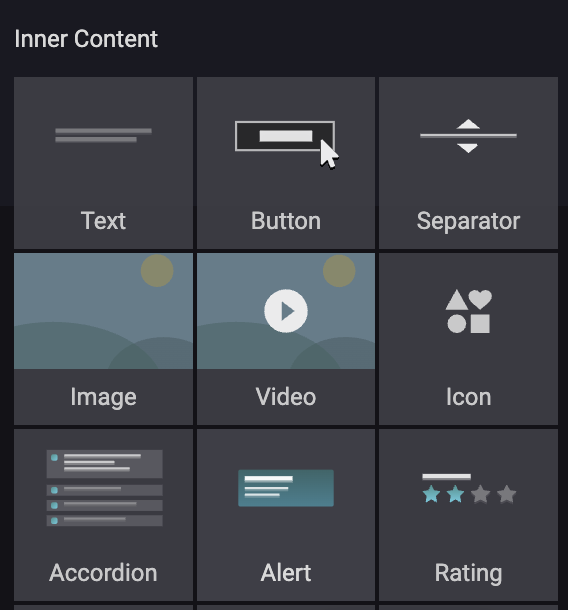
The Accordion below was added in this way and talks a bit about a few of the most useful of these.
This is useful for hiding a lot of content unless needed or for more engagement. Note that these are good options for remaining completely accessible without linking off to some additional information.
You can add an image within any content block by dragging a inner content snippet/block inside of a content area. Note that there are pre-built full blocks that include images as well. 
There are a number of other snippets. You can add a Progress Bar (which must be created and updated manually - it's not automated), Alerts like the one above, or various countdowns, google maps, or social media info. Play around!
A lot of pre-built blocks can save time in making things easy to read and interpret.
Highlight your history, showcase growth and key milestones.
January 2025 Launch of the original LibreTexts Academy
March 2025 New Academy Online launches with free courses.
Fall 2025 Lots of great feedback to revamp the platform
June 2026 New Academy@LibreTexts launches
July 2026 Revamped Academy Online debuts!
There are no comments for now.
to be the first to leave a comment.