Academy@LibreTexts Online
Online asynchronous courses for building skills in the use of OER, OER Advocacy, publishing with LibreTexts, and assessment tools like ADAPT and the Forge.
Courses
All Courses
How to make the most out of your LibreTexts Textbook!
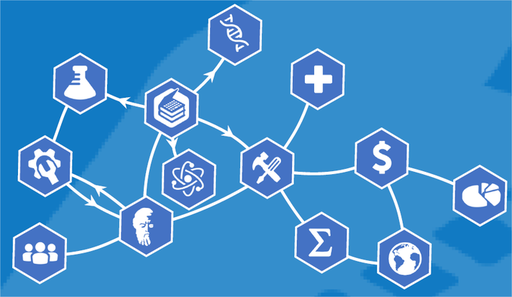
Step 1: Start here! Explore all of the tools of the LibreTexts Platform. Although all of the content on this course is free, to gain a Certificate as a LibreTexts User, you must pay the fee to take the assessments.

Get a review of all of the features of the ADAPT homework and assessment platform. All content is free to review, but if you would like to get a certificate of completion for the time spent, you may opt to purchase the course and take the assessments.
Everyone will access the Agenda, complete learning checks, and if desired, complete the Certificate of Participation here.

This course guides educators through the process of creating their first open educational resource (OER) textbook using the LibreTexts platform. It covers five essential steps, including searching for existing materials, using a textbook map to organize content, and leveraging the LibreTexts Conductor to build and manage the project. The session emphasizes remixing existing open content rather than starting from scratch to reduce student cognitive load and align materials with specific course syllabi.
This course provides a foundational introduction to the ADAPT platform, focusing on how instructors can build, import, and customize courses and homework assignments. Participants learn to navigate the system's three-level structure of courses, assignments, and questions while exploring essential features like algorithmic randomization and accessibility alternatives.

LibreTexts is dedicated to ensuring Open Educational Resources are accessible to all students as both a legal requirement and an ethical commitment. The platform provides a comprehensive suite of tools, including real-time checkers, automated bots, and AI-driven remediators, to help authors meet WCAG 2.1 AA accessibility standards. These resources simplify the process of fixing common barriers like missing alt text and poor color contrast while fostering a more inclusive digital learning environment.

This course provides a comprehensive introduction to using the LibreTexts remixer tool for customizing and building textbook materials. It covers essential processes including content organization, managing licensing and attributions, and effectively structuring your own digital books.

This is an overview of how LibreTexts utilizes its Commons and Conductor platforms to host and organize various Ancillary Materials. Instructors can manage diverse teaching resources, effectively creating Mini-Repositories of files, slide decks, and data sets tied to specific textbooks. These tools facilitate the seamless storage, curation, and dissemination of support materials to enhance the overall educational experience for students and faculty.
This course guides instructors through advanced features in the ADAPT platform, specifically focusing on building assignments and managing diverse question types. Participants learn practical workflows for importing, searching, and creating custom assessment content while exploring interactive tools like H5P and 3D modeling. This is essential before going into the Intermediate ADAPT III courses.
This course introduces Discuss-It, a dynamic, asynchronous discussion tool within ADAPT designed to foster authentic student engagement through multi-modal submissions like audio and video. It guides educators through the practical implementation of this tool, emphasizing how to set up participation criteria, manage threaded discussions, and leverage automated transcripts to simplify the grading process.
Overview